Web Hosting Customer Frequently Asked Questions

|
How do I log into my control panel? http://www.yourdomain.com/cpanel
How do I FTP into my account? To transfer files or browse through your directory using FTP, you need to connect with an FTP client to hostname ftp.your_domain.com (replace "your_domain.com" with the appropriate info. Use port 21, and login with your account username and password. Any files that you want viewable on the web should be uploaded to the /public_html directory. You might want to set this as the default directory in your ftp client.
What if I can't use FTP? We also offer a web based file manager that will allow you to upload the files to your account.
I have created an extra ftp account in the control panel. How does that person connect? They would use the same procedure as above, but they need to enter their username as user@yourdomain.com. For instance, if you create a user called bob, he would log in with the username person@yourdomain.com. Please change yourdomain.com to your actual domain name.
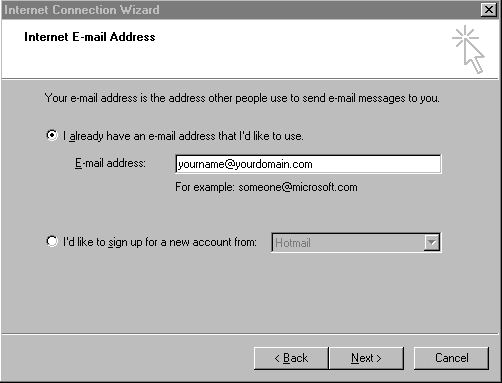
How do I connect to my email account? There are a couple of methods for doing this. The easiest is to log into your control panel, click on "POP email accounts", and then click on the autoconfig link next to the account you want to set up in Microsoft Outlook or Outlook Express (assuming you use one of these email programs). This will automatically set up the email for Outlook or Outlook Express. If this doesn't work, you will need to use the following settings. POP3 server = mail.your_domain.com You will need to authenticate in order to send mail through our SMTP server. There is usually an option for this in the email client. You will then need to enter your username and password again. The username has two possiblilities. If you are using the default account with the username that you signed up with, you can just enter your username. If you set up an extra email account, you will need to use user@your_domain.com as the username. This prevents confusion if multiple people try using the same user name.
Connecting to email accounts using Netscape mail There is an issue with Netscape regarding the use of the "@" symbol in the username. In order to log into your email account with a username with an embedded "@" using Netscape, you have to go into the user's profile directory for Netscape and edit the "prefs.js" file. Add the following line: user_pref("mail.allow_at_sign_in_user_name",true); That should fix the issue.
What is the path to sendmail? /usr/sbin/sendmail
What is the path to perl? /usr/bin/perl or /usr/local/bin/perl
Where is date? /bin/date
Where is time? /usr/bin/time
Where is my home directory? It is located at /home/username, where username is the username you use to log in.
What PERL modules are installed and available for use? For a list of installed perl modules, log into your cpanel, and click on the "i" icon next to where it says "PERL version" in the lower left part of the main page. What is the CGI base directory? /home/username/public_html/cgi-bin
Where can I find detailed documentation about MySQL databases? You can go to http://www.mysql.com or you can try http://www.mysql.org . At mysql.org, click on the documentation button. The documentation is tarred and gziped. You can extract the html documentation files using WinRAR, which you can obtain from http://www.rarsoft.com .
Is there an operating manual for customers? Yes, click here for the current manual. |